> For the complete documentation index, see [llms.txt](https://docs.axiom.trade/llms.txt). Markdown versions of documentation pages are available by appending `.md` to page URLs; this page is available as [Markdown](https://docs.axiom.trade/getting-started/fees/solana-fees.md).
# Solana Fees
A discussion about the fees charged per transaction exectuted.
## Optimizing Your Gas Settings on Axiom for Solana Trading
When trading on the **Solana** blockchain using **Axiom**, you have several customizable **gas settings** to fine-tune your transaction speed and success rate. Below are detailed breakdowns of each setting and how to optimize them for a **unfair** advantage. 🔺
***
## Priority Fee
### Speed up your Transactions
The **Priority Fee** is an extra payment made to validators to increase the likelihood of a faster confirmation, especially in times of high network congestion and high volume tokens.
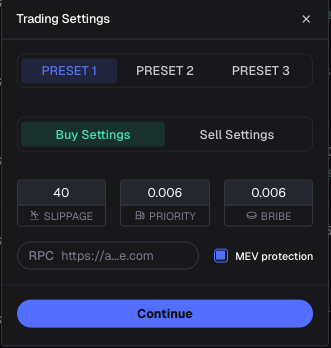
* **PRIO:** Enter the amount you are willing to pay for prioritization. The Default Value is 0.001.
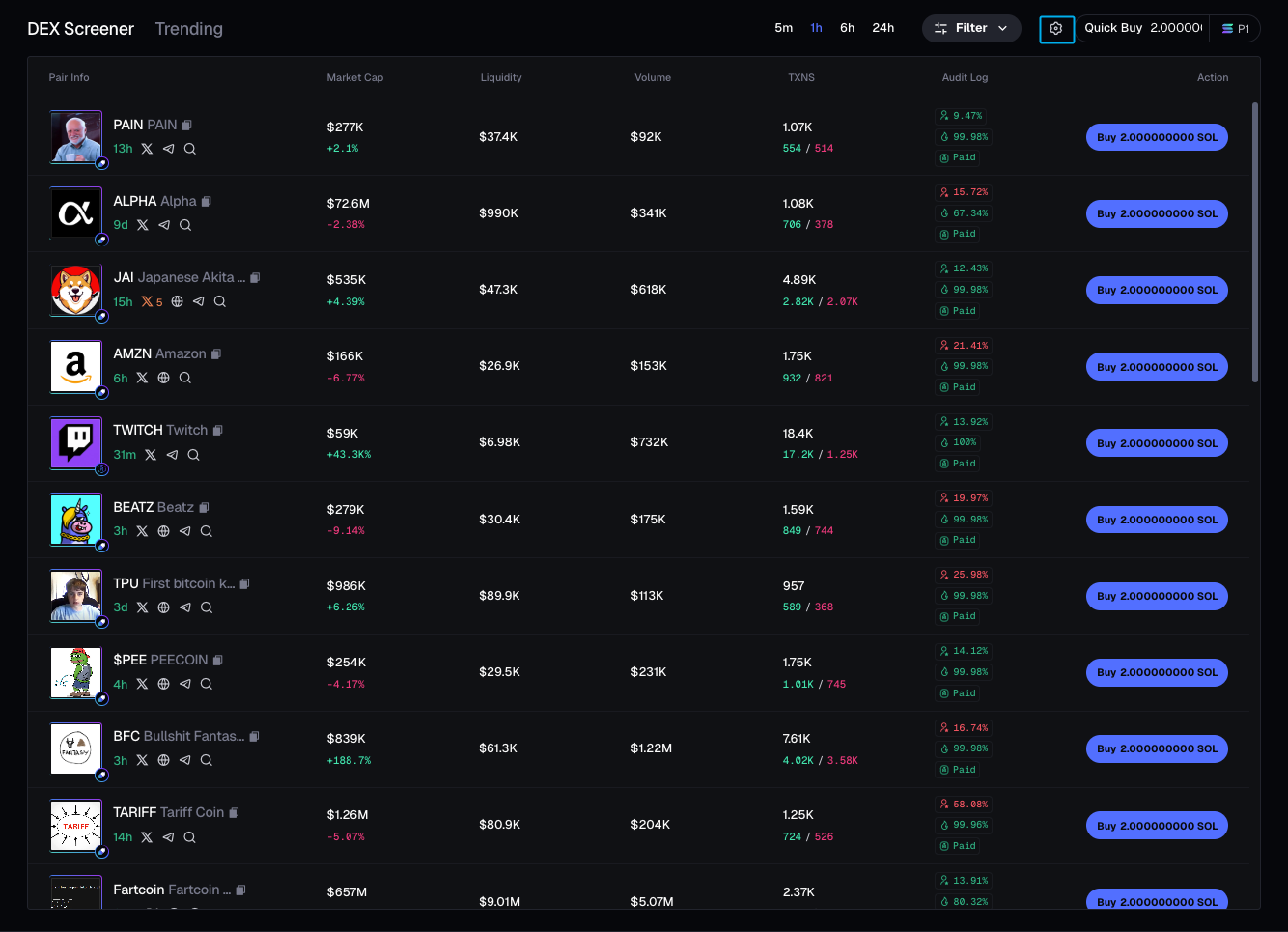
Click on the settings button on the top right!
Adjust your settings here
{% hint style="info" %}
TIP: If network congestion is high, **increasing your priority fee** can help confirm transactions faster!
Presets are available to users to make it extremely accessible to adapt your fees to the market status quickly!
{% endhint %}
***
## Slippage Limit
### Protect Against Price Variations
Slippage is the **difference** between the **expected** trade price and the **actual** executed price. Setting a slippage limit ensures your trade **executes** within your **acceptable** range.
* Max %: Enter the maximum **slippage percentage** you're willing to accept
* Example: Setting 1000% means you will accept up to 10x price movement before cancellation
* Adjust the value **based** on market **volatility** and your **risk tolerance**.
{% hint style="info" %}
Tip: For **highly volatile** assets, consider **increasing slippage** to reduce failed transactions!
Tip: If you aren't use MEV protection, make sure to keep your slippage low to ensure your transaction does not get sandwiched!
{% endhint %}
***
## MEV
### Maximize Profitability & Security
Maximal Extractable Value (MEV) represents additional profits validators can extract through transaction reordering (sandwiching).
* **Disabled/Enabled:**
* **Enabled: Sends transactions only to Jito to optimize for MEV extraction and to prevent sandwiching efforts**
* **Disabled: Transactions are broadcasted to both Jito and standard block leaders,** increasing the execution speed.
{% hint style="info" %}
Tip: MEV protection is **essential** for preventing front-running but may slightly delay execution.
{% endhint %}
***
## Bribe
### Incentivize Faster Processing
A **bribe is a additional incentive paid to validators to prioritize your transaction.**
* Bribe: Enter the Amount you're willing to pay!
* Default: 0.001 (Optional but recommended for high volume trades
### Modes of MEV Protection
Axiom allows you to choose between a total of 3 MEV modes. These modes consist of "Off", "Reduced" and "Secure".
* Off: There’s no protection against MEV bots, which means your trades are exposed to front-running. This will potentially result in worse entry prices.Tip: A **Higher bribe increases transaction safety,** ensuring safe transaction execution. It is NOT 100% effective.
* Reduced: This mode submits transactions via Jito for enhanced efficiency, but since rogue validators may still be involved, there’s still a risk of MEV exposure.
* Secure: Our best form of MEV protection for transactions submitted through this method. This method may be slower because it will wait for a whitelisted validator to be available until it allows the transaction to process.
{% hint style="danger" %}
Axiom recommends using Secure mode whenever possible.
{% endhint %}
***
## Recommended Settings for Optimal Speed & Security
### Using analysis of current transactions, Axiom automatically calculates the recommended bribe and priority fee to use for both speed and security!